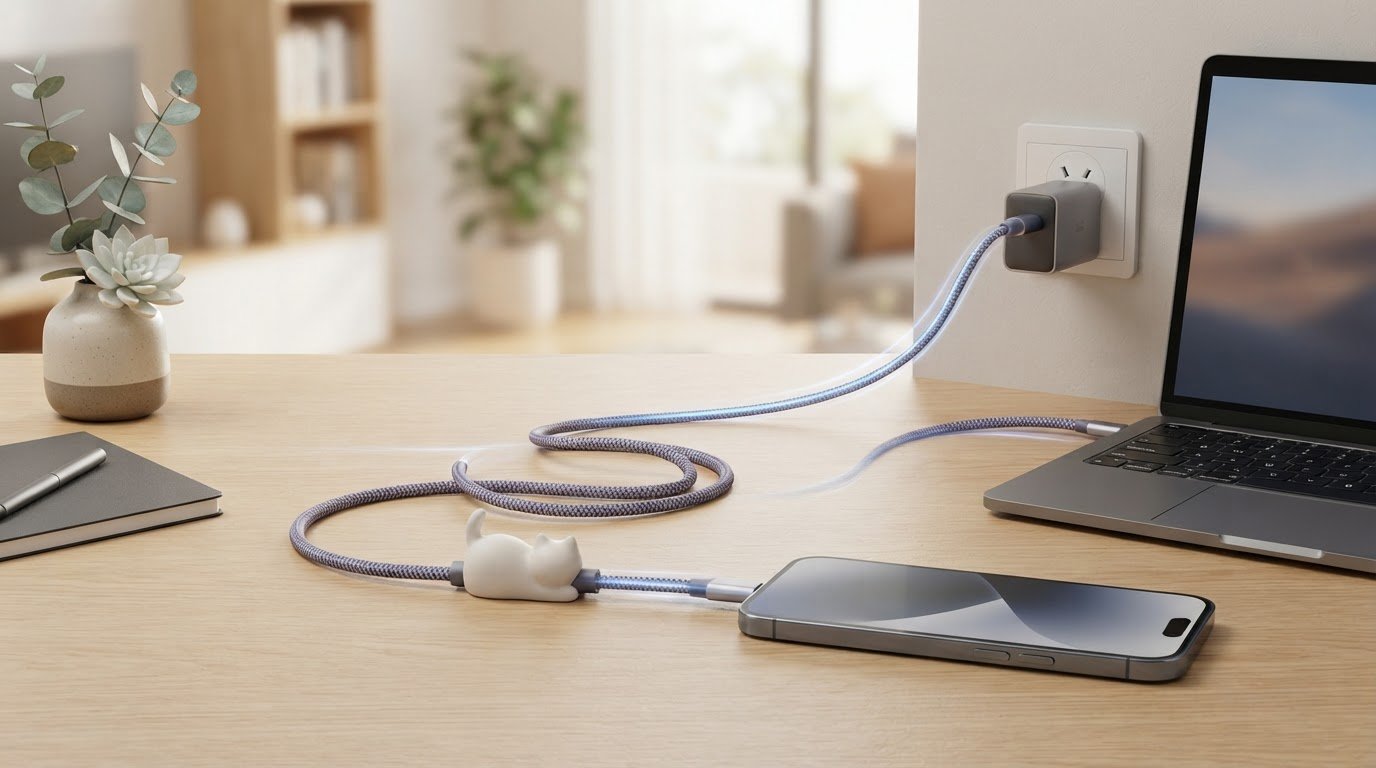
Can a cute cable and fast charging go paw in paw? If you’re curious about cute type c cable fast charging, the answer depends on more than a wattage number or a sweet design. Your cable, charger and device need to work together, so it helps to know what the labels mean before choosing.
A cable rated for up to 240W can support high-power charging, but it doesn’t make every device charge at 240W. Above 100W, the charger, cable and device all need to support USB Power Delivery 3.1 Extended Power Range. Your device’s own charging limit matters too.
In this guide, you’ll learn how to read a cable’s power rating, check compatibility and choose a charging solution for your everyday devices. We’ll also look at the Maogeju USB-C 240W Super Fast Charging Cable, a practical accessory with playful cat-themed character. Imagine a little feline flair beside your phone or laptop, with the right details in hand to assess your setup. 😺
Key Takeaways
- Learn what a 240W label says about a cable, and why it doesn’t tell you how quickly your device will charge.
- Compare the cable rating, device limit and adapter capability to see how your charging solution fits together.
- Start with your phone, tablet or laptop’s supported charging method and power requirements when choosing a cable.
- See how cute type c cable fast charging can add playful, cat-themed character to a practical everyday accessory.
- Meet the Maogeju USB-C 240W Super Fast Charging Cable and learn what to consider before matching it with your devices.
Cute Type-C Cable for Fast Charging: What the 240W Label Means
A cat-themed detail can make an everyday charging cable feel more cheerful, especially when it sits beside your phone or laptop. But appearance and power ratings tell you different things. If you’re considering cute type c cable fast charging, treat the 240W label as a clue to the cable’s stated power capacity, not a promise that your device will charge at that rate.
A cable’s rated power is the maximum power it is specified to support. Actual charging performance depends on the cable, device and compatible charging adapter working together. A high rating may suit your setup, but it doesn’t set charging speed on its own.
Is Type-C the same as USB-C?
In everyday conversation, “Type-C” commonly means the USB-C connector format. It’s the small, oval-shaped plug that can be inserted either way up, unlike older USB plugs that fit in only one orientation. The name describes the connector, not every capability of the cable. For background on the connector’s design and role, see this overview of USB-C.
Two cables can have the same connector shape but support different power or other capabilities. A USB-C plug may fit your device without the cable matching its charging requirements. Check the connector, cable rating and your device’s supported charging method to assess compatibility.
What does 240W mean on a USB-C cable?
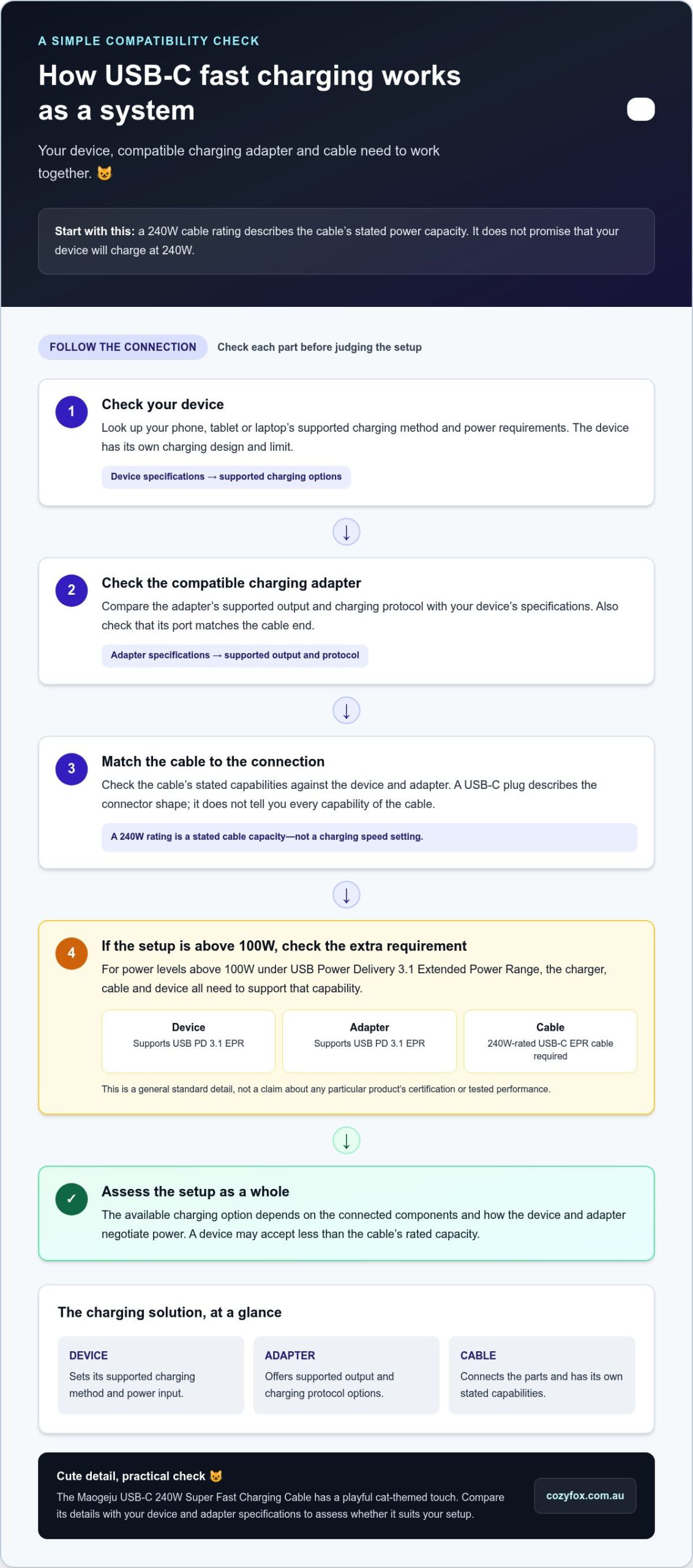
A 240W rating indicates the power capacity stated for a cable. Under USB Power Delivery 3.1, Extended Power Range supports power levels up to 240W when the connected equipment supports the required capability. That limit applies to compatible charging setups. It doesn’t mean every 240W-rated cable will make every connected device draw 240W.
Think of the number as a limit the cable is rated to support, rather than a speed setting. Your device may accept less power, and the compatible charging adapter also needs to suit the device and charging method. The charging solution works as a team, with each part affecting the power available to your device.
For example, a laptop designed for a lower power level won’t suddenly charge at 240W because the cable has that rating. A suitable cable can’t make up for an adapter or device with a lower limit either. The result depends on the capabilities of the connected components and how they negotiate power.
Cozy Fox’s Maogeju USB-C 240W Super Fast Charging Cable brings a playful cat-themed touch to a practical everyday accessory. The 240W in its name describes a stated cable rating, not a guaranteed charging rate for your phone, tablet or laptop. Compare your device and adapter specifications with the cable details to assess whether it suits your setup. 😺
How USB-C Fast Charging Works Across Your Charging Solution
Fast charging involves communication between your device and its power adapter. The adapter makes supported charging options available, and the device communicates which option it can use. A charging protocol sets the rules for that exchange. The cable connects the two, so the setup works as a system rather than as separate accessories chosen by appearance alone.
USB-C fast charging relies on a supported exchange between the device and adapter, carried across a suitable cable. USB Power Delivery, often shortened to USB PD, is one protocol used for this communication. The USB Implementers Forum (USB-IF) publishes information about USB standards, including Power Delivery.
The device sets an important part of the limit
Your phone, tablet or laptop has its own charging design. The manufacturer’s specifications can tell you which charging methods it supports and what power input it is designed to use. Those details help determine which charging option is available when the device connects to an adapter.
For example, a tablet connected to an adapter that supports several USB PD options can use an option supported by the tablet. A laptop may have different charging requirements. Look up the specifications for each device instead of assuming one setup will behave the same way with all your electronics.
Why the compatible charging adapter matters
An adapter does more than provide a port. Its supported output and charging protocol shape the options it can offer to a connected device. When choosing an adapter or setting up a new charging spot, compare its specifications with the charging information from your device maker. Check that the adapter’s port also matches the cable end you plan to connect.
The cable is the physical link in this exchange, and its specifications help determine whether it suits the setup. For power levels above 100W under USB PD 3.1 Extended Power Range, a 240W-rated USB-C EPR cable is required. This is a general standard detail, not a claim about a particular product’s certification or tested performance.
Use these specifications as a quick guide:
- Device: Find the charging methods it supports.
- Adapter: Identify its supported output and protocol.
- Cable: Check that its stated capabilities suit the intended connection.
These checks help you understand how the parts work together, whether you’re charging at a desk or creating a tidy spot for your everyday devices. If a cat-themed accessory would make that spot feel more like yours, explore the Maogeju charging cable as a playful addition to your setup. 😺
Cute Fast-Charging Cable Claims: What to Compare Before You Choose
A cable’s power rating is easier to assess alongside the specifications for the device and adapter you plan to use. Use the table to note each component’s stated capability, then compare the details for your intended setup. The outcomes indicate what information you have for assessing compatibility, not a promised charging time.
| Cable rating | Device limit | Adapter capability | Likely outcome |
|---|---|---|---|
| Rating is stated clearly | Requirements are known | Output and protocol are known | Compare all three sets of details to assess whether the setup is aligned. |
| Rating is higher than the device’s stated requirement | Device information is available | Adapter details are available | Use the device and adapter specifications to judge the intended match. |
| Rating is not clear in the product information | Requirements are known | Output is known | You have only part of the information needed to assess the setup. |
| Rating is clear | Device requirements are unclear | Adapter output is clear | Find the device specifications before drawing a compatibility conclusion. |
Which details deserve a closer look?
Start with the cable’s stated power rating, then find the relevant specifications for your device and adapter. Look for clear product information about capability instead of relying on a headline or connector shape. When comparing two options, note the same details for each: rating, connector information and any stated capabilities you need. This makes it easier to see what you know about each cable and your setup.
For another shopper-friendly perspective on choosing a cable, Cozy Fox’s cute USB-C charging cable guide brings practical considerations together with playful style. Keep your device specifications nearby as you read, so you can relate general product information to your own charging needs.
Does a cute design still suit everyday charging?
Of course. Cat-themed character is a style choice, while specifications help you assess how a cable fits your routine. You might want a cheerful accessory for your desk, bedside table or work bag. Think about where you’ll use it, then compare the product details with the specifications for the device and adapter in that setup.
The Maogeju USB-C 240W Super Fast Charging Cable adds a playful cat-themed touch to an everyday charging accessory. Its product name states a 240W rating, which you can compare with your device and adapter information. The rating alone doesn’t say how long charging will take, so use the table to compare capabilities, not as a timing chart. 😺
Before choosing, jot down these three details:
- Your device’s stated charging requirements.
- Your adapter’s supported output and protocol.
- The cable’s stated rating and connector information.
That gives you a straightforward way to evaluate cute type c cable fast charging options with function and personality in mind. A little comparison helps you choose an accessory for your everyday setup while bringing some feline fun along for the ride.
How to Match a USB-C Cable to Your Phone, Tablet or Laptop
Finding the right details is easier when you start with the exact model of the device you want to charge. Model names can be similar, so use the full name or model number to find the right information in the manufacturer’s support pages or user guide.
Follow this short process to compare details without guesswork:
- Identify your device model. Check its settings, packaging or user guide for the full model name. Keep it handy while looking up the manufacturer’s charging information.
- Find the supported charging method. Look in the specifications or support guidance for the charging method and power requirements. Note the details that apply to your model.
- Read the adapter label. Check the printed information on the adapter or its product documentation for its output and supported protocol. Note which port you’ll use.
- Read the cable’s product information. Record its stated rating and connector details, then compare them with the information for your device and adapter.
A useful checklist includes your device’s model-specific charging information, the adapter’s label or documentation, and the cable’s stated specifications. Keep those details together when comparing products, so you can refer back to them easily.
A simple compatibility check before plugging in
Use the manufacturer’s information for your exact device model, not just a general description of a product family. Adapter details are often printed on the unit or included in its documentation, while cable capabilities should appear in its product information. Connector shape can help you identify what fits, but it can’t replace these specifications.
If you’re choosing for more than one device, make a separate note for each. A quick list on your phone can be handy while shopping or checking cables you already own.
Why charging may feel slower than expected
If charging seems slower than expected, don’t assume the cable is the cause. Compare the device maker’s charging guidance with the specifications for the adapter and cable you’re using. If you have several devices, note which one you tested and which setup you used. Changing one part at a time can help you see what differs without assuming a particular fix.
Once you’ve gathered the details, you can choose with more confidence and still have fun with the look of your everyday accessories. If a cat-themed touch would brighten your charging spot, explore the Maogeju USB-C 240W Super Fast Charging Cable as a playful option. 😺
Meet the Cozy Fox USB-C 240W Super Fast Charging Cable
A charging cable forms part of your everyday routine, so it can be practical and add personality to your desk or bedside table. The cute type c cable fast charging option from Cozy Fox Lifestyle brings a cat-themed touch to an everyday accessory, featuring a stated 240W rating in its name. It is a playful way to add a little feline character to the items you reach for each day. 😺
That rating describes the cable’s stated power capacity. It does not promise that your phone, tablet or laptop will charge at 240W, or tell you how long charging will take. Actual charging performance depends on the capabilities of your device, compatible charging adapter, cable and supported charging protocol working together. Compare your device and adapter specifications with the cable details to see how it could fit your setup.
A little feline charm for your daily setup
Imagine a charging spot that feels a little more like yours. A cat-themed accessory can add a cheerful detail to your everyday routine, while the USB-C cable serves as a practical part of your charging solution. Choose a place where you will use it regularly, such as your work area or bedside table, and enjoy a playful touch in an ordinary moment.
You can have personality and practicality together. Let your style guide the design you are drawn to, then use the product information and your device requirements to make a considered choice. The cable’s name gives you its USB-C and 240W details; your device and adapter specifications help you assess whether they suit your intended setup.
Choose your cable with confidence
Take a moment to compare the parts of your setup. This quick buyer checklist keeps the useful details in view:
- Device: Find the manufacturer’s supported charging method and power requirements.
- Adapter: Compare its output and supported protocol with your device’s needs.
- Cable: Check the stated power rating against the device and adapter specifications.
If you are comparing options, keep your device information nearby and read the full product details rather than relying on the connector shape or rating alone. That makes it easier to choose a cable for your intended setup without assuming a higher number guarantees a particular result. A little checking can make the decision feel much more straightforward.
Cozy Fox Lifestyle is Australian-owned and operated, with online shopping across Australia. Free shipping applies to orders over $59. If the USB-C 240W Super Fast Charging Cable feels like a charming fit for your everyday setup, explore the Cozy Fox Lifestyle collection and find a cat-themed touch that feels right for you.
Make Your Charging Spot Feel More Like You
Your everyday charging area can be useful and full of personality. As you choose a cable, picture where it will live: beside your laptop, tucked into your work setup or ready for your evening routine. A cute type c cable fast charging choice can bring cat-themed cheer to that familiar spot, while your device’s requirements guide the practical side of the decision.
Keep your device and adapter details close as you browse, so you can compare product information with your actual setup. Then think about the small details that make an accessory feel at home in your space. Choose one that suits your needs and adds a touch of fun to a task you do every day.
Ready to bring a little feline charm to your charging routine? Take a look through the Cozy Fox collection and find a playful, practical detail for your everyday setup. 😺
Frequently Asked Questions
Is USB-C the same as Type-C?
Yes, USB-C and Type-C commonly refer to the same connector format. The familiar reversible plug is only one clue, though. It doesn’t tell you how much power a cable supports or whether it handles the data functions you need. Before connecting a new cable to a tablet, compare the tablet’s charging details with the cable and adapter specifications. That helps you choose based on capability, not shape.
Can I use a USB-C cable with a USB-A adapter?
That depends on the connectors at each end of the cable and the ports on your adapter. A cable can have a USB-C connector at one end and a different connector at the other, so don’t assume both ends are USB-C. Check that the cable ends and adapter ports match, then review the adapter’s specifications. A physical connection may work without supporting the charging performance you expect.
Can one USB-C cable charge both a phone and a laptop?
One cable may suit both devices if its connectors and specifications match each device’s charging requirements. For example, you might use the same cable at your desk for a phone and a laptop, with an appropriate adapter for each setup. If you’re considering cute type c cable fast charging, compare both devices’ requirements with the cable and adapter details. Don’t assume compatibility or equal charging performance across them.
Does a higher-wattage USB-C cable damage a device?
A higher power rating on a cable doesn’t, by itself, mean your device receives that amount of power. The charging result depends on the device, adapter, cable and supported protocol working together. Check that each item’s specifications suit the others, and follow the device maker’s instructions. A rating alone can’t confirm how a particular setup will perform, so don’t treat it as a device-specific promise.
Can USB-C charging cables transfer data as well as power?
Some USB-C cables can transfer data, but the connector shape alone doesn’t tell you which data functions or transfer rate a cable supports. If you’re connecting a phone to a computer to move photos, check the cable’s product information for data support. Don’t assume the cable will handle file transfer just because its connector fits. Power and data capabilities are separate details to check.
How can I help a charging cable last longer?
Handle the cable gently during everyday use. When unplugging it, hold the connector rather than pulling on the cable, and avoid sharp bends, tight knots or strain where the cable meets its plug. Keep it from being trapped under furniture or caught in a bag zip, too. These careful habits can reduce unnecessary stress, though they can’t promise a particular lifespan for any cable.