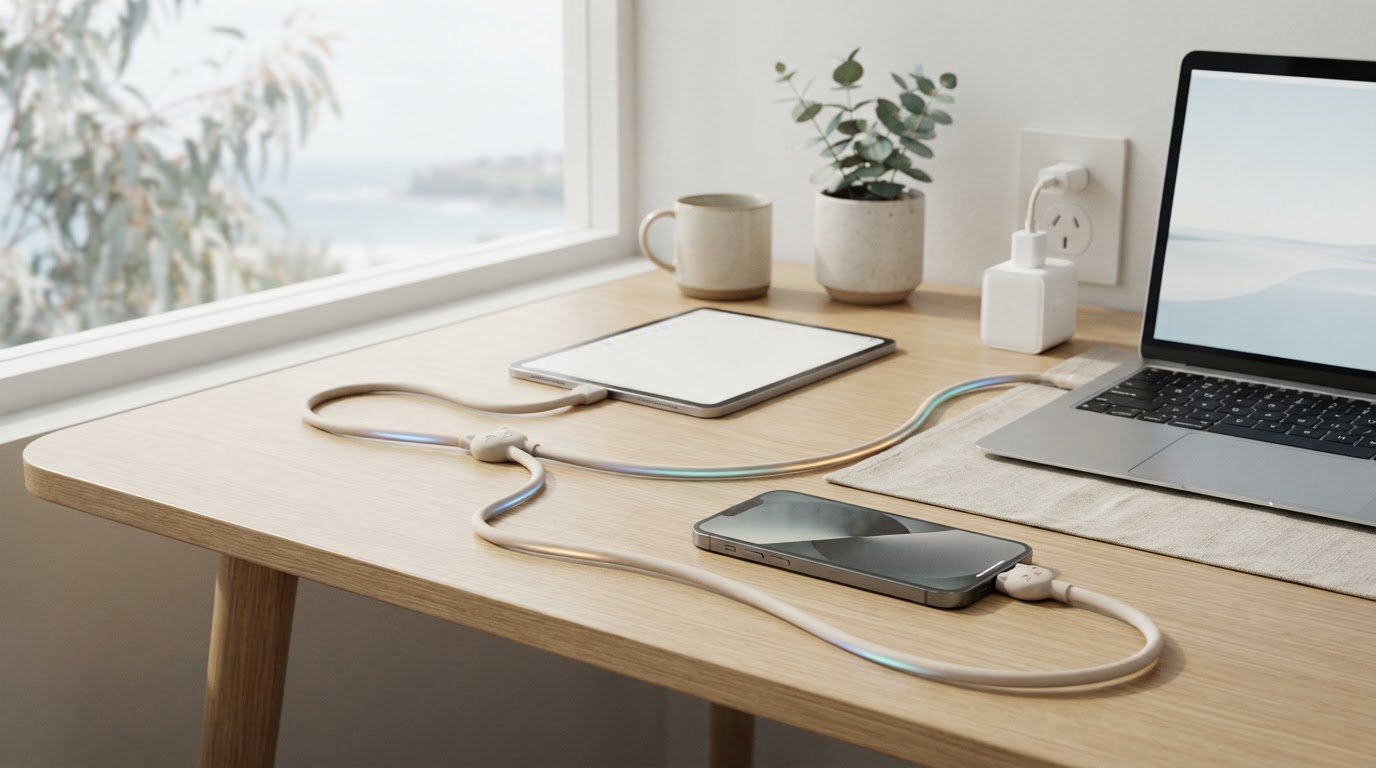
Could a cable marked 240W still charge your device more slowly than expected? Absolutely. A high speed cat charging cord’s rating tells you its stated power capacity, not the speed your device will always reach. Your device and compatible charging adapter also need to support the charging setup, so that number isn’t the whole story. 🐾
Choosing a cable can feel confusing. You want one that suits your device and adapter, but you might also want a playful design that makes your everyday setup feel more personal. A cute cat detail is a lovely bonus, as long as the practical details line up too.
In this guide, you’ll learn what a 240W rating does and doesn’t tell you, which device and adapter details to check, and how to compare your options. We’ll also look at the Maogeju USB-C 240W Super Fast Charging Cable as an everyday option, without assuming its rating guarantees a particular charging speed for every device. By the end, you’ll know what to check before choosing a cat-themed cable.
Key Takeaways
- Choose a high speed cat charging cord by checking the full charging setup, not just the number on the cable.
- Look up your phone, tablet or laptop’s charging requirements before deciding whether a cable suits it.
- Check that the cable connector fits your device and that your adapter is compatible with its charging needs.
- Use the 240W rating as a guide to the cable’s stated power capacity, not a promise of your device’s charging speed.
- Get to know the Maogeju USB-C 240W Super Fast Charging Cable and what to check before adding a cat-themed touch to your setup.
What does “high-speed” mean for a cat charging cord?
A cat-themed cable can make a daily charging spot feel more cheerful, whether it’s on your desk or beside your bed. But design is only part of the decision. A high speed cat charging cord is one part of a charging setup, and its performance depends on how it works with both your device and adapter.
The Maogeju USB-C 240W Super Fast Charging Cable has a stated 240W rating. That figure describes the cable’s rated power capacity, not the charging speed every connected device will receive. It’s one limit in the chain, not a promise that your phone, tablet or laptop will draw that much power.
What does a 240W cable rating tell you?
In plain language, the rating tells you the power capacity stated for the cable. It doesn’t mean every device can accept that amount, or that connecting the cable will make a device charge at its fastest possible rate. A device’s supported input can limit how much power it takes in, even when the cable has a higher rating.
A cable’s power rating describes its capacity; your actual charging speed depends on the complete compatible setup.
Use 240W as information to compare with your device and adapter specifications, not as a speed guarantee. If you’re unsure what your device supports, check its charging information before choosing a cable.
Why does the whole charging solution matter?
Your charging solution is the cable, compatible charging adapter and device working together. The cable must connect properly, and the adapter must match the device and cable requirements. If one part has a lower supported capacity, that can affect the power delivered to your device.
USB-C describes the connector and related specifications, but seeing a USB-C plug alone doesn’t tell you the charging capability of every device or accessory. The USB-C standard offers a helpful technical overview. For your own setup, check the information provided for your device and adapter.
To choose a cat-themed cord with confidence, enjoy the design detail while checking that the connection and stated rating suit your everyday setup. 🐾
How to compare a high-speed cat charging cord with your devices
A cheerful cat detail can make a charging cable feel like part of your everyday setup, but the best fit starts with the device you want to charge. Before choosing a high speed cat charging cord, check three separate things: whether the connector fits, what power your device supports, and whether your adapter is suitable. Checking each item helps you compare options without assuming one cable works the same way with every device.
Which device details should you check first?
Find your device’s exact model, then check the manufacturer information for its charging connection and supported charging input. A USB-C cable needs a compatible USB-C connection on the device. If your device uses another connection, check what cable or adapter setup its manufacturer recommends rather than guessing.
Use this comparison as a starting point. Requirements vary between models, so check the details for your own device.
| Device | What to check |
|---|---|
| Phone | USB-C connection, supported charging input and adapter guidance |
| Tablet | USB-C connection, supported charging input and adapter guidance |
| Laptop | USB-C connection, supported charging input and adapter guidance |
Keep these checks separate: connector fit tells you whether the cable can connect, while the device’s charging specifications tell you what input it supports. Neither detail alone confirms that the whole setup is suitable.
Does your adapter match the cable and device?
Check the adapter label and manufacturer guidance for its supported output. Compare that information with your device’s charging requirements and the cable rating. A compatible charging adapter is one that matches the device and cable requirements for the charging setup. If the label or guidance is unclear, look up the adapter model before relying on it.
The adapter is a distinct part of the setup, so don’t choose based on cable wattage alone. A cable’s stated rating doesn’t tell you what a particular adapter and device combination supports. Check each item’s specifications together, especially if you plan to use the same cable with more than one device.
For more help comparing cable features and style, read the cute USB-C charging cable guide. Then use your device and adapter details to narrow down what suits your setup. 🐾
Which features matter in a cat-themed high-speed USB-C cable?
The best cable for your setup balances practical fit with a design you’ll enjoy seeing every day. Start with what you need to connect and charge, then consider whether a cat-themed detail would add a little fun to your desk or bedside table. The Maogeju USB-C 240W Super Fast Charging Cable has a stated 240W rating, but check your own device and adapter details before deciding whether that rating suits your needs.
How should you weigh the 240W rating against everyday use?
Compare the cable’s stated rating with the charging input supported by your device and the information for your adapter. The 240W figure is a product specification, not a promise of universal performance or a reason to seek the highest-rated equipment for every device. Choose based on the specifications of the device you plan to charge, rather than assuming more capacity always means a better match.
A cable rating alone can’t guarantee your device’s charging speed.
What design details make a cable feel right for you?
Once the connector and charging requirements look suitable, think about how the cable will fit into your space. Picture a cat-themed cable beside your laptop, near your bedside device or adding a playful touch to your everyday charging spot. Appearance is a personal choice, not a technical feature, so let the design bring joy while compatibility guides the practical decision.
Stick to details confirmed in the product information. The product name identifies the Maogeju cable as USB-C and rated at 240W; it doesn’t confirm specific colours, materials, length or other features. Check the product details for anything else you’d like to know before choosing.
A high speed cat charging cord can combine a useful everyday accessory with a design that feels personal. First consider connector fit, your device’s supported input and adapter compatibility. Then decide whether the cat-themed style feels right for your setup. That way, the technical checks and the feel-good details each have their place. 🐾
If you’d like to explore the cat-themed USB-C cable, keep those compatibility checks in mind as you consider how it could fit into your daily routine.
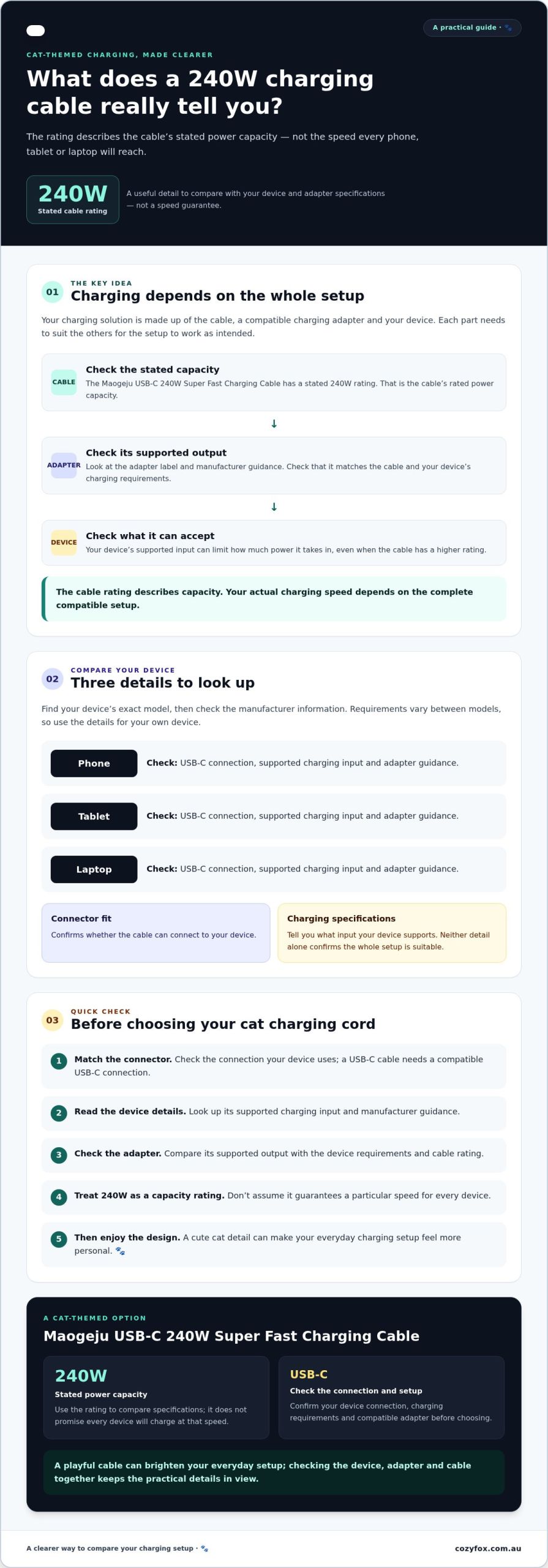
A quick checklist before choosing your cat charging cord
A little cat-themed charm can brighten your charging spot, and a few practical checks can help you choose a cable that suits your setup. Before picking a high speed cat charging cord, work through this checklist rather than relying on the cable rating alone.
- Check the device connection. Confirm the device has a USB-C connection that fits the cable. If it uses a different connector, check the device maker’s guidance for the right connection or setup.
- Look up the device’s charging requirements. Find the exact model and check its supported charging input in the manufacturer’s information. Don’t assume a phone, tablet or laptop will accept the same input just because the cable connector fits.
- Read the adapter details. Check the adapter label and manufacturer guidance for its supported output. Compare this with the device and cable documentation so the parts of your charging setup are suited to one another.
- Compare the cable rating. Check the rating stated for the cable against your device and adapter requirements. Treat it as a product specification, not a guarantee of the charging speed your device will receive.
For the Maogeju USB-C 240W Super Fast Charging Cable, 240W is the stated cable rating. It doesn’t mean every device can draw that power, so use your device’s supported input and the adapter information to judge whether it’s a suitable match.
When should you pause and check the specifications?
Pause if you can’t confirm the device connection, the adapter output or the cable requirements. Do the same if the details appear not to match. Check the device or adapter maker’s guidance before connecting a combination you’re unsure about. That’s more useful than guessing from the connector shape or the biggest number on a label.
For another layer of setup guidance, look for the fast charging cable guide, Fast Charging for Feline Fans: A How-To Guide. It can complement this checklist as you work out which details to verify for your own devices.
Once the practical checks are clear, you can give the cat-themed design its turn. Picture the cable beside your everyday devices, adding a playful touch to your desk while the specifications help you make a considered choice. Explore the cat-themed USB-C cable and check its product details against your setup. 🐾
Meet the Maogeju USB-C 240W Super Fast Charging Cable
If you like practical everyday accessories with a playful feline touch, the Maogeju USB-C 240W Super Fast Charging Cable may catch your eye. Its confirmed details are in its name: a USB-C connection and a stated 240W rating. Those give you a starting point for checking whether it fits your charging setup, without assuming the rating guarantees a particular result.
What is confirmed about this Maogeju cable?
The confirmed product information identifies the cable as USB-C and rated at 240W. Details such as length, materials, data transfer and charging protocol aren’t confirmed here, so check the product information if any of those matter to your choice. A high speed cat charging cord still needs to suit the device and adapter you plan to connect it to.
Read the product name carefully: 240W is the cable’s stated rating, not a promise that every device will draw that amount of power. Your device’s supported input and the adapter’s specifications also shape the charging setup.
How can you decide if it suits your setup?
Before choosing, compare the details for each part of your setup. Check:
- That your device has a USB-C connection that fits.
- The device’s supported charging input in its manufacturer information.
- The adapter’s specifications and guidance from its maker.
- The cable’s stated 240W rating, as a specification rather than a guaranteed charging speed.
If any detail is unclear, check the device or adapter maker’s guidance instead of guessing. A matching connector is only one part of the decision; consider the device, cable and adapter together.
Once those practical checks are covered, think about the little things that make an accessory feel at home in your routine. Picture a cat-themed cable beside your everyday devices or adding a cheerful note to your charging spot. Its design can bring personality to the setup, while compatibility remains the guide to whether it suits your needs. 🐾
If the confirmed details look right for your setup, explore the Maogeju USB-C cable and review the product information before choosing.
Choose a cable that fits your setup
A high speed cat charging cord can add a playful touch to your everyday setup, but the right choice starts with compatibility. Check that the connector fits your device, look up its supported charging input, and compare those details with your adapter’s specifications. The cable’s rating describes its stated power capacity, not a guaranteed charging speed for every device.
The Maogeju USB-C 240W Super Fast Charging Cable has a USB-C connection and a stated 240W rating. Whether it suits your setup depends on your device and adapter requirements, so check their manufacturer guidance if anything is unclear. You can then decide whether its cat-themed style feels at home beside your everyday devices.
Cozy Fox Lifestyle offers cat-themed accessories designed to bring a little personality to daily life. If the cable’s confirmed details match what you’re looking for, explore the Maogeju USB-C 240W Super Fast Charging Cable. Cozy Fox Lifestyle offers free shipping on orders over $59 within Australia. Find a cable that suits your setup and adds a playful touch to your routine. 🐾
Frequently Asked Questions
Will a 240W USB-C cable charge every device at 240W?
No, a 240W USB-C cable doesn’t make every device charge at 240W. The rating describes the cable’s stated power capacity, while a device can only accept power within its supported charging input. Your adapter also needs to suit both the device and cable. Check the device specifications and adapter label or manufacturer guidance before choosing. The cable rating alone can’t predict the charging speed you’ll get.
Can I use a high-speed USB-C cable with my existing adapter?
Possibly, but check that the adapter suits both your device and cable before using it. Look at the adapter label and its manufacturer guidance, then compare its specifications with the device’s supported charging input and the cable’s rating. A high speed cat charging cord can’t guarantee a particular result with an existing adapter. If you can’t confirm that the details match, ask the adapter or device maker for guidance.
How do I know whether a USB-C cable is compatible with my device?
Start by checking that your device has a USB-C connection that fits the cable. Then find your device model and review the manufacturer’s charging requirements, including its supported input. Connector fit is only one part of compatibility, so check that the cable and adapter details suit the device too. If the specifications are unclear, consult the device maker rather than guessing from the shape of the connector.
Is a 240W cable worth considering for a phone?
It depends on your phone’s supported charging input and the rest of your setup. A phone won’t necessarily use the cable’s full 240W rating, so don’t treat that number as a promise of faster charging. Check the phone’s specifications and compare them with the cable and adapter details. The rating may be a relevant product detail, but your phone’s requirements are the better guide to whether it suits your needs.
What should I check before buying a cat charging cord?
Check that the connector fits your device, then look up the device’s supported charging input. Compare the adapter’s specifications with the device and cable documentation, and read the cable’s stated rating as a capacity, not a guaranteed charging speed. Finally, review the product details for any features that matter to you. If a requirement is missing or unclear, check with the manufacturer or retailer before choosing.
Does a high-speed charging cable include a charging adapter?
Don’t assume an adapter is included with a cable. Package contents can vary, so check the product listing carefully for what’s included before ordering. If it doesn’t say whether an adapter comes with the cable, contact the retailer to confirm. You’ll also need to check that any adapter you plan to use suits your device and cable. A cable’s rating alone doesn’t tell you what’s in the package.